
The platform
Comprehensive without the complexity.
Everything you need to create, organize, deliver, automate and prove training — designed around making the work easier for the people who actually run it.
Powerful underneath. Simple on the surface.
Create
You already have the training. Don’t build it twice.
Build courses from the content you already use — PowerPoint, PDF, documents, video, SCORM and more — or start from scratch with the Course Builder.
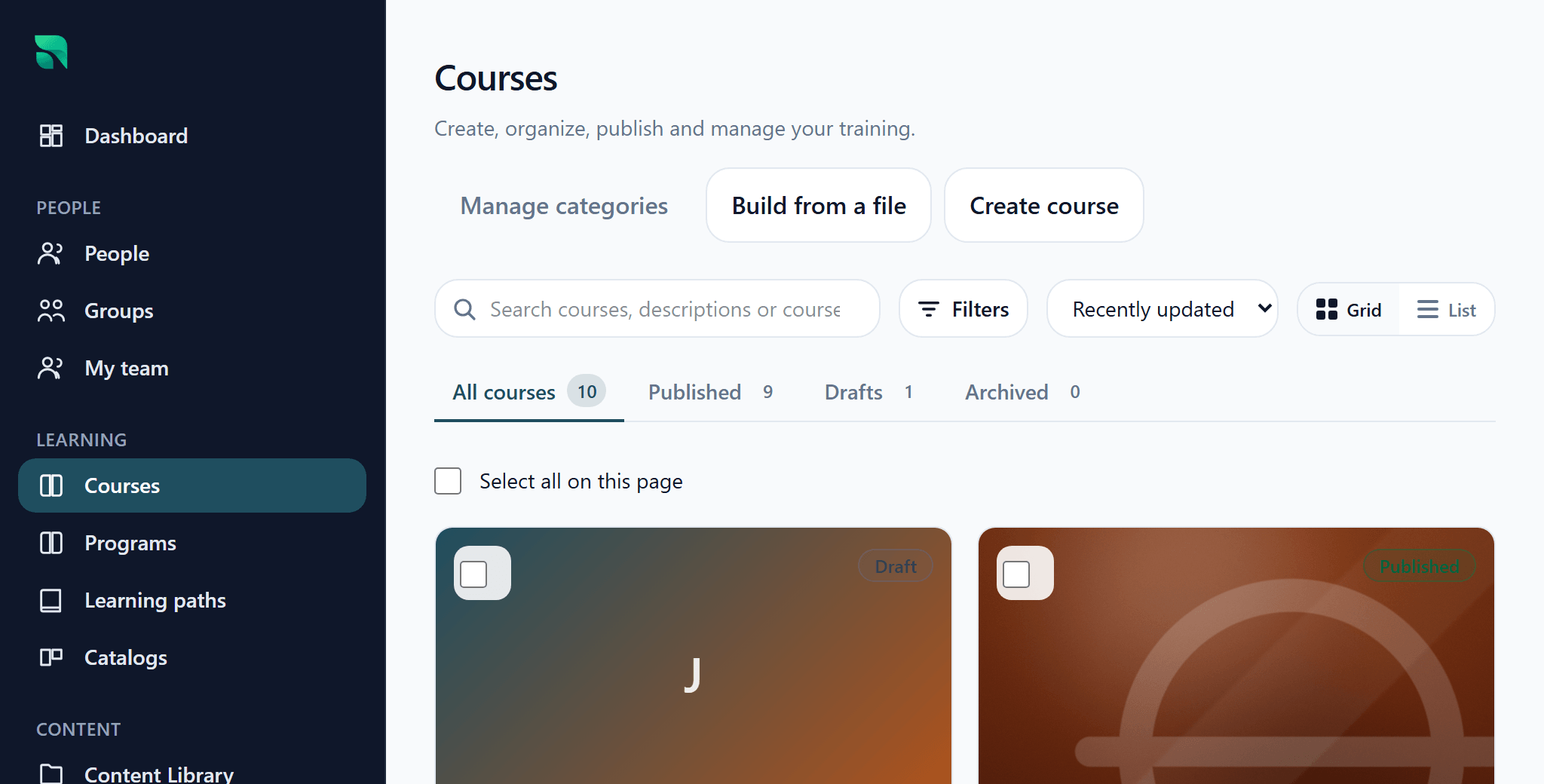
Course Builder — every course, and what state it is in. 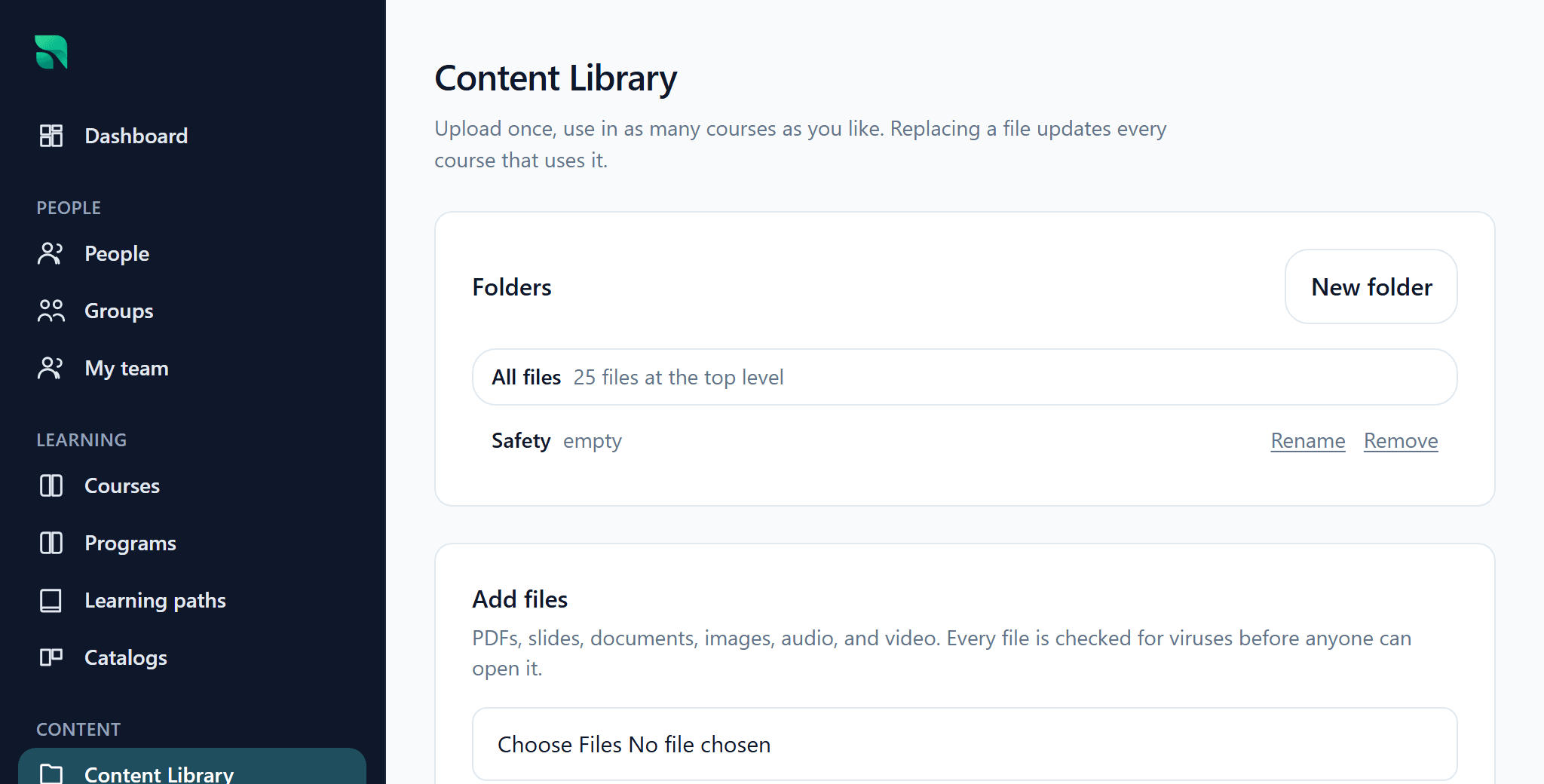
Materials Library — approved files, organized once.
Course Builder
Build the learning experience in one place.
How it works
- Add content
- Organize
- Set requirements
- Preview
- Publish
Course Tree
The structure of a course — its modules, lessons and activities.
SCORM 1.2 and SCORM 2004
A common e-learning package format used by content providers and authoring tools.
Materials Library
Upload once. Use it again.
How it works
- Upload
- Organize
- Reuse across courses
PowerPoint, PDF and document import
Start with what you already built.
With Felicity

Felicity can analyze the materials you select and propose an editable course draft. Nothing is saved until you approve it — and the same course can be built entirely by hand with AI switched off.
Optional AI
Meet Felicity.
Your Radplicity AI assistant.

Automate
Build the process once. Stop doing it every month.
Built-in control
Know what will happen before it happens.
Organize
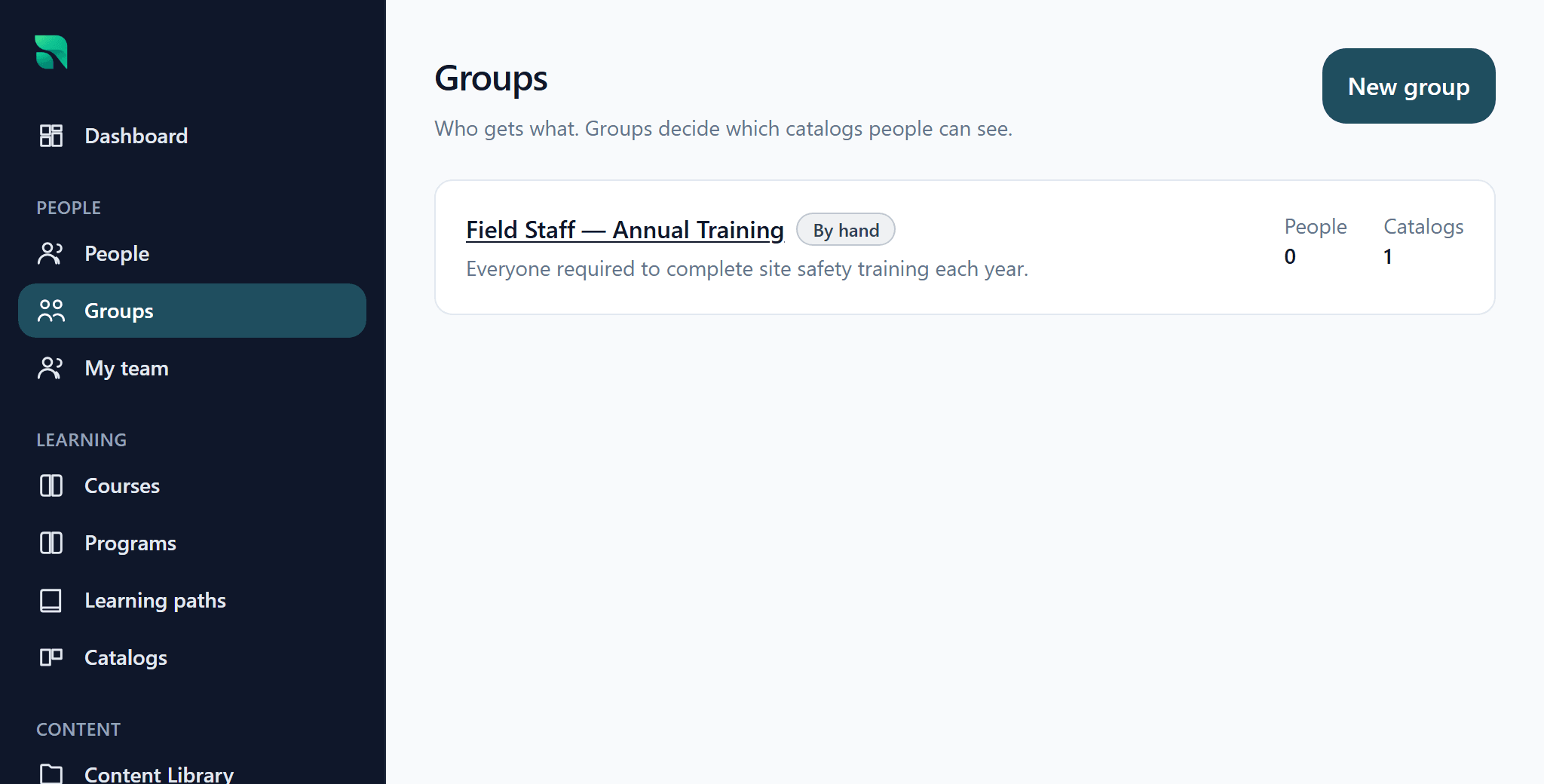
Your organization doesn’t fit into one drop-down.
Deliver
Online. Live. In the field. One training record.
Assess
Prove learning. Don’t rebuild every question.
Track
The answer shouldn’t be harder to find than the training was to complete.
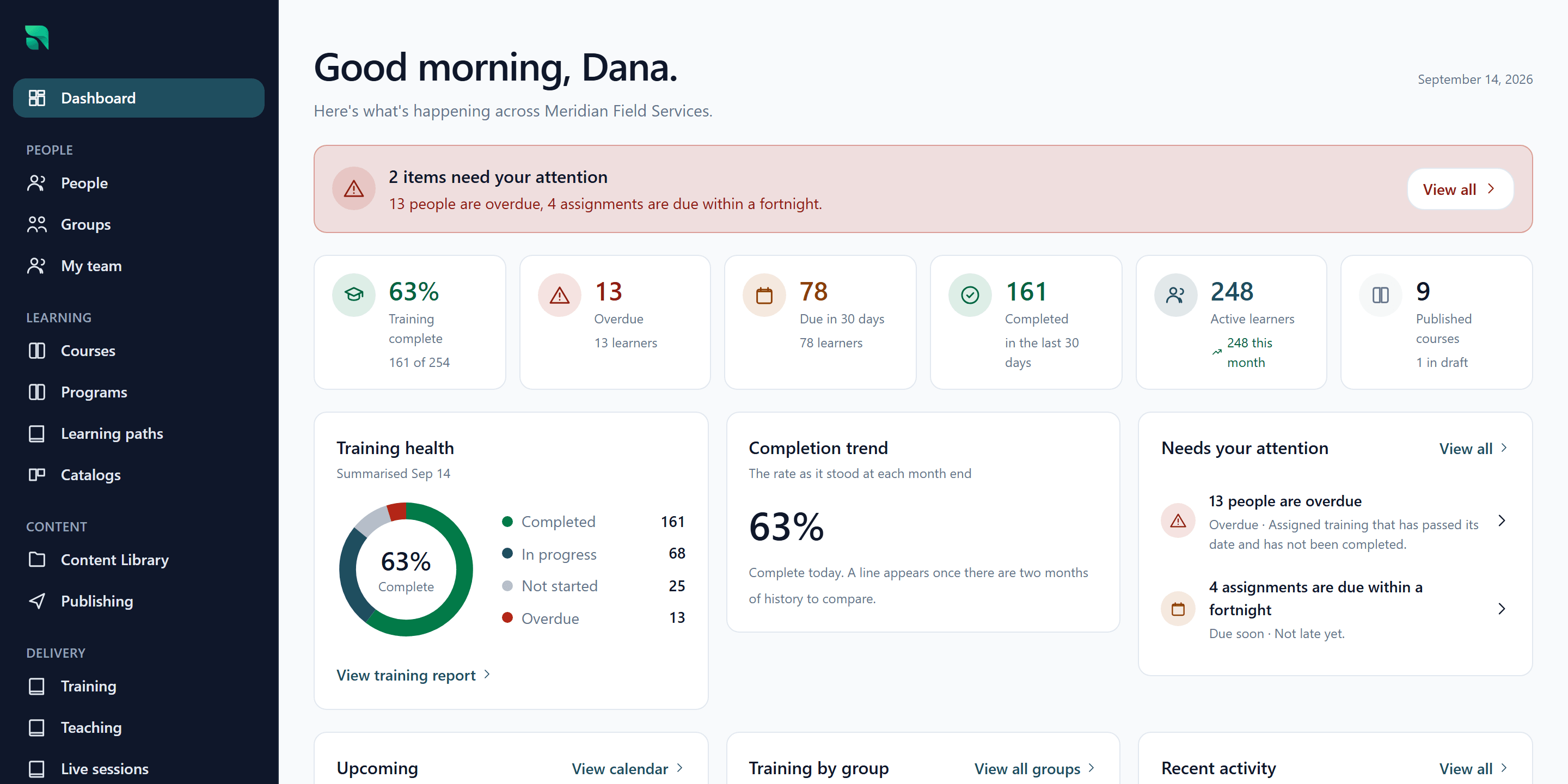
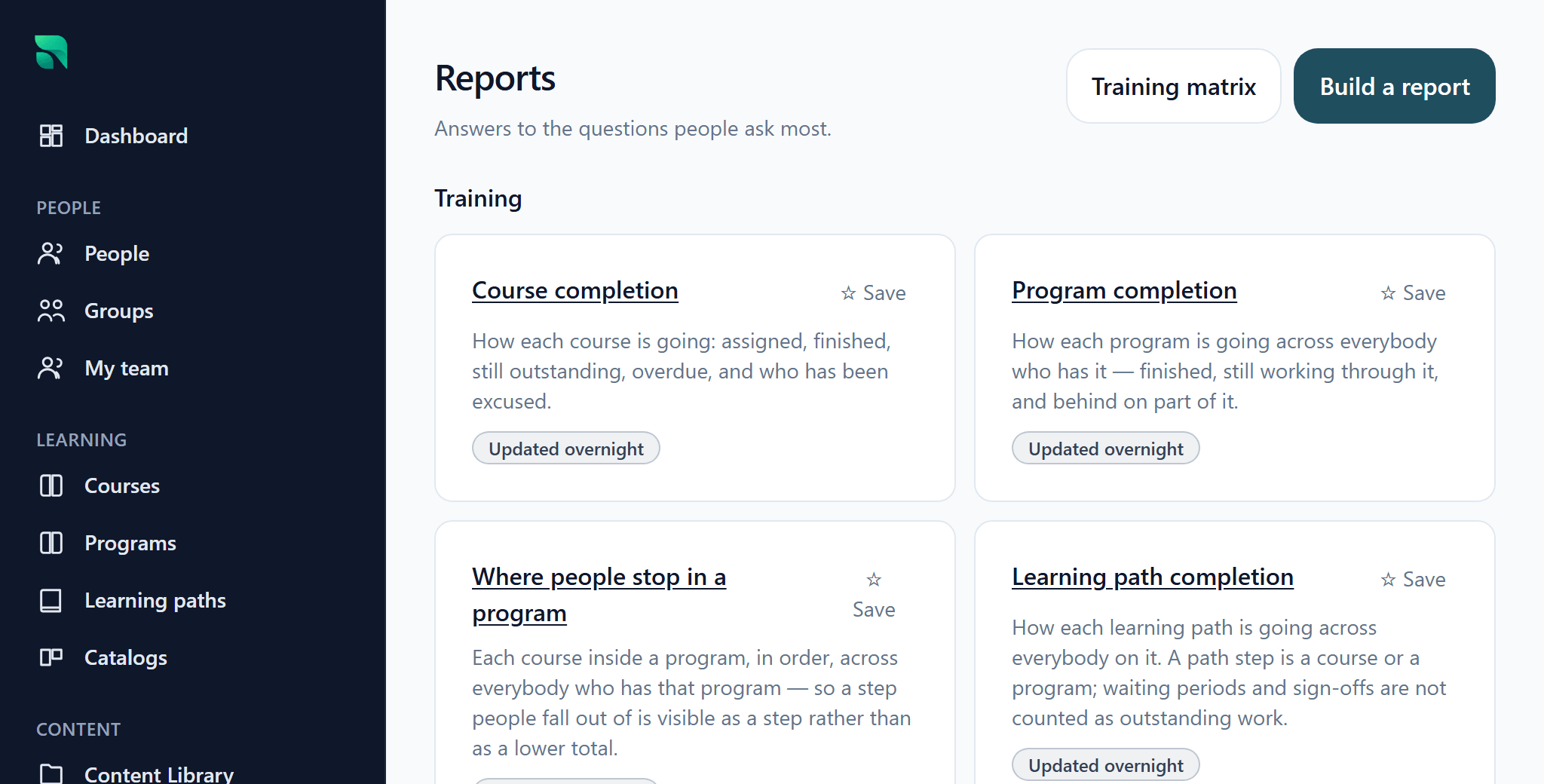
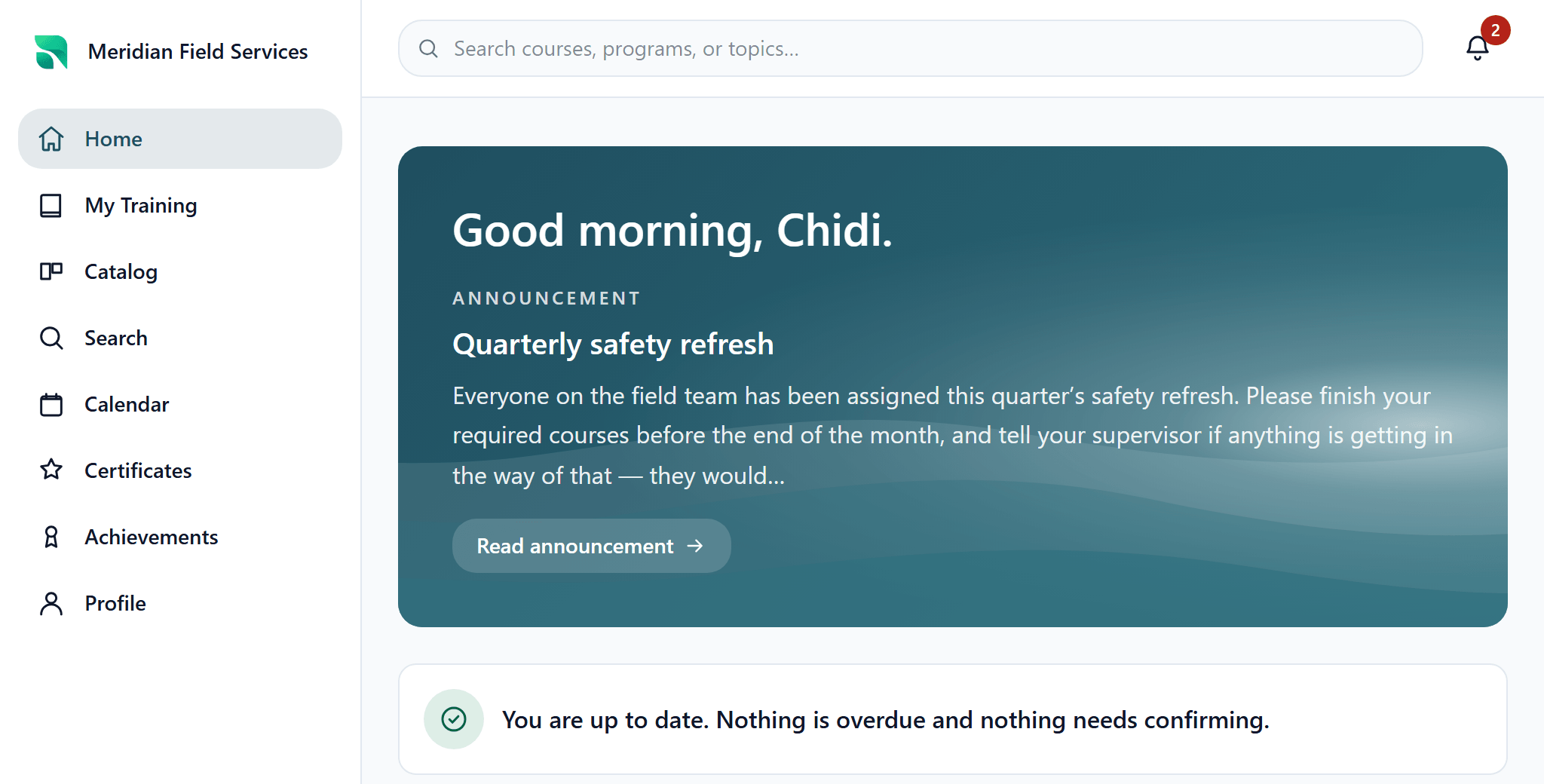
Designed around the person using it
Everyone uses the same LMS. They don’t need the same LMS experience.
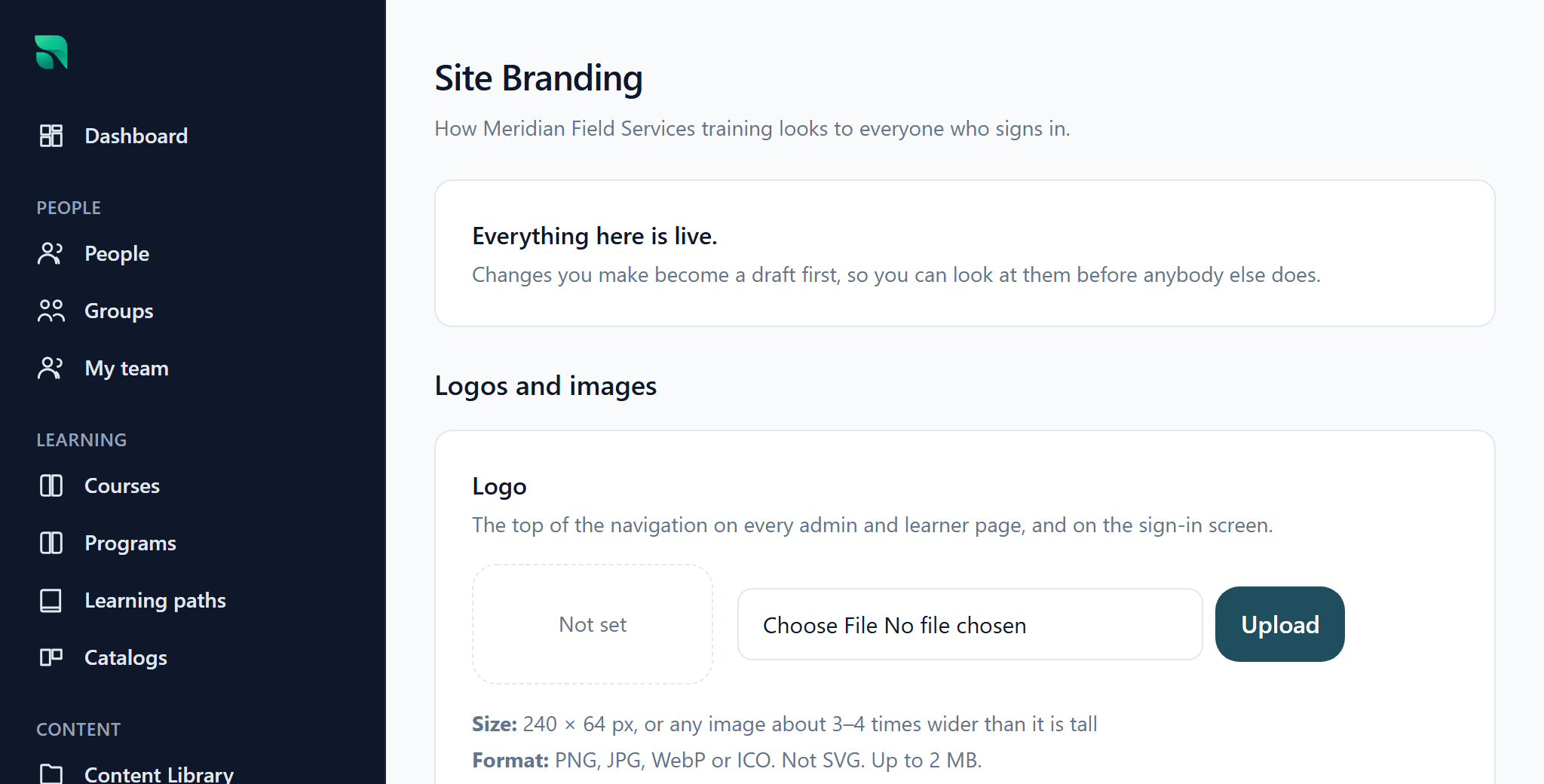
Customize
Your LMS. Your brand.
Our product philosophy
Radical Simplicity.
Keep the capability. Remove the unnecessary work required to use it.
Good defaults
Start from sensible choices instead of configuring everything before you can begin.
Progressive disclosure
Common workflows stay simple. Advanced controls appear when they are actually needed.
Plain language
Nobody should need an LMS glossary to understand their own LMS.
Reuse before rebuild
Materials, courses, questions and reports are assets, not things to recreate.
Automation for repetition
A process you run every month should be a rule you wrote once.
Role-specific experiences
Learners, managers, instructors and administrators each see what matters to them.
Preview before impact
Before a consequential change reaches people, see exactly what it is about to do.
Optional AI assistance
Felicity makes the work faster. Nothing depends on her being switched on.
The complexity belongs in the software. Not on your desk.
And yes. It does the serious LMS stuff too.
Explore the complete Radplicity capability set.
Create9 capabilities
Course Builder
Build a course from modules and lessons on one screen, and publish when it is ready.
Everything on one screen, dragged into order. Publishing versions the course, so nobody mid-way through is disturbed by an edit.
Course Tree
Video, documents, pages, links, assessments and SCORM in a single structure, with a completion rule per item.
One structure holds every format. If an item fails to render it fails alone, with a reference number, instead of taking the course down.
Materials Library
A folder-organized home for every file your training uses, reusable across as many courses as you like.
Upload once. Replace the file and every course pointing at it is current — no republishing eight courses to fix one document.
PowerPoint and PDF import
Upload a PowerPoint, PDF or Word file and Radplicity proposes a course structure from its headings.
You tick what to keep, and it is written through the ordinary authoring path — an editable draft course, not a locked import.
Video
Upload video once; it is transcoded and delivered as adaptive streaming.
No separate video platform to buy or embed. Viewing time counts what was watched — dragging to the end does not mark it complete.
SCORM 1.2 and 2004
Upload a SCORM 1.2 or 2004 package; it launches, tracks and reports onto the training record.
Upload the zip and it works. It is scanned and served from its own origin, so package code can never reach a learner’s session.
Assessments
Multiple choice, multiple answer, true/false and written responses, with pass marks, attempt limits and time limits.
The settings that matter are on the first screen, and the clock is enforced by the server rather than the browser.
Question Library and pools
Save an assessment to a reusable library, draw randomized questions from a pool, and shuffle answer order.
Reuse an assessment across courses instead of copying it. Set a pool size and every learner gets a different paper from the same set.
Question import
Import questions from a CSV file rather than typing them in one at a time.
Upload the file and see what will be created before it is. Rows that cannot be read are listed with the reason.
Organize6 capabilities
People
Learner records with the fields your organization actually uses, including custom fields.
Add the fields you need and they become available to groups, rules, catalogs and reports without any further setup.
Groups, static and dynamic
Build a group by hand, or by a rule that re-evaluates as people change.
A dynamic group tells you how many people currently match before you save it. "214 learners currently match" is the thing you approve.
Bulk import
Bring people in from a CSV, mapping your columns to Radplicity fields once.
You see how many will be created, how many updated, and every row that failed with its reason — before anything is written.
Catalogs
Publish courses to a catalog scoped to groups, so people can find and enroll in training themselves.
People see what they are eligible for and nothing else. Losing catalog access never deletes an enrollment already under way.
Programs and Learning Paths
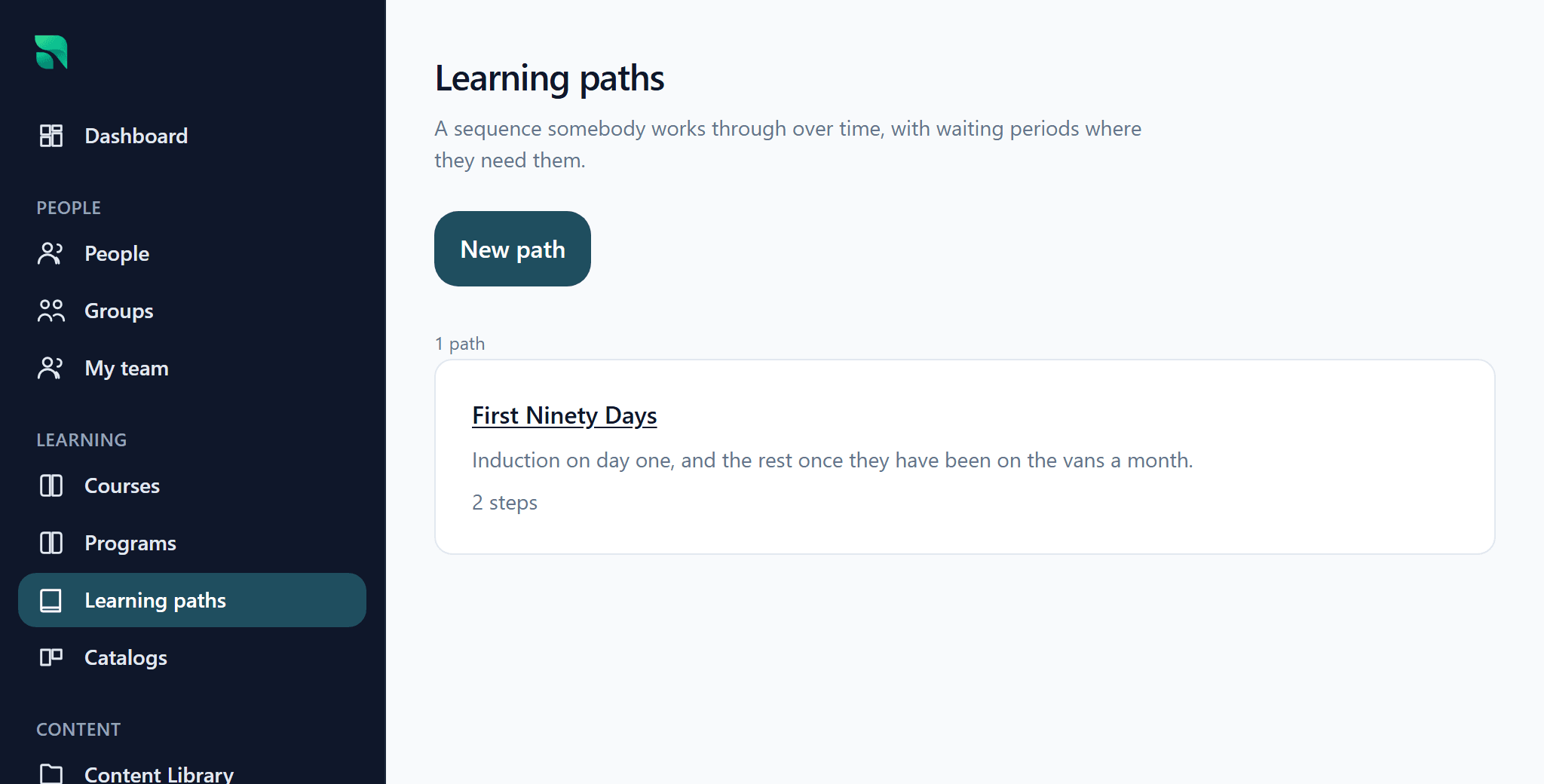
Sequence courses into Programs and Learning Paths, in a fixed order or any order.
The learner sees one thing with one progress bar. You see every step, and each assignment records the program it came from.
Roles and scoped permissions
Roles whose permissions are scoped to a group, a location or a team.
Give people exactly the access their job requires without exposing the rest of the LMS. Scope is required, so it cannot be forgotten.
Deliver7 capabilities
Assignments
Assign a course, program or path to a person or a group, with a due date and reminders.
Every assignment records its source and what that source was called at the time. When two sources conflict, both are kept and precedence decides.
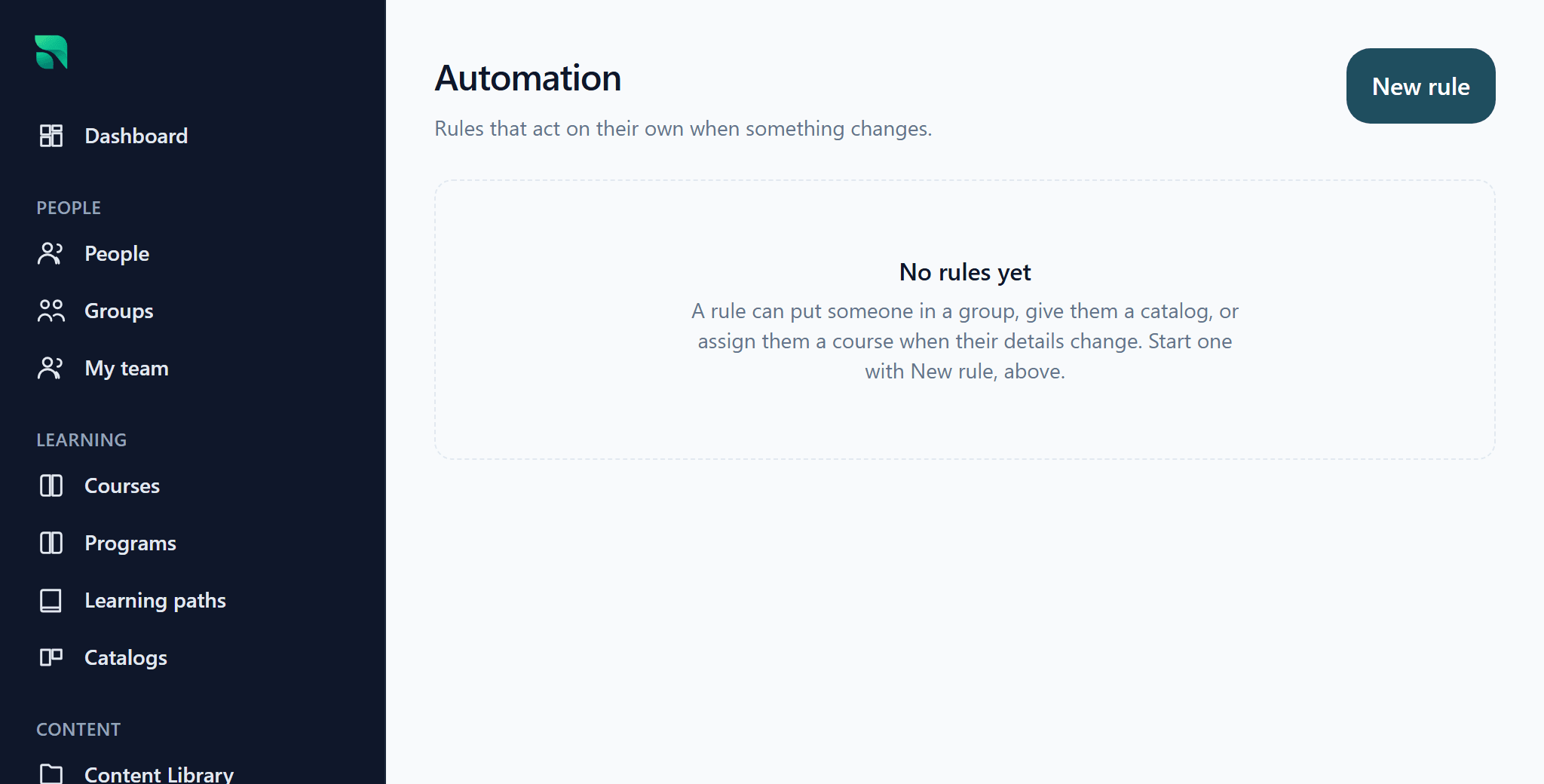
Automation rules
Rules that assign training when somebody joins, changes role, moves location or joins a group.
Write it once. Before it runs, it shows exactly who it will affect and how many are already compliant — preview before impact.
Recurring training
Training that reassigns itself on a schedule, with reminders before it is due.
Set the interval once. Last year’s completion stays where it is — a renewal is a new record, never an overwrite.
Live and blended training
Schedule in-person, virtual, workshop and field training with a roster, capacity and attendance.
Classroom and online land on one training record. One learner, one history, whether they watched it or attended it.
Practical sign-off
A step that stays incomplete until a named person confirms somebody did the thing, with a date.
A step in the course rather than a separate process. Nobody can sign themselves off, including an administrator viewing as them.
Certificates
Branded PDF certificates issued on completion, with an expiry date where the qualification has one.
Issued automatically, and each carries a code anyone can verify at your own address without an account.
Notifications and announcements
Assignment notices, reminders, invitations and announcements posted to a group.
Reminders are part of the assignment rather than a separate campaign to build. Announcements are scoped to the academy they belong to.
Track6 capabilities
Role dashboards
A different first screen for learners, managers, instructors and administrators.
Each role opens on the question they have. What a manager sees is decided by permission, not by which link they were sent.
Reports
Ready-made reports for completion, overdue training, expiring certificates and assessment results.
Start from the question rather than from an empty query builder. Filter it, and export to CSV whenever you want it.
Custom report builder
Choose columns, filters and scope to build the report your regulator or auditor asks for.
The builder is there when a ready-made report is not enough — not the only way in. Progressive disclosure, applied to reporting.
Training history
A complete training record per person that organizational change cannot alter.
Change alters what is expected of somebody, never what they did. Corrections are adjustments with a reason, never destructive edits.
Training taken elsewhere
Record a ticket, license or course earned outside Radplicity, with its expiry date.
It lands on the same record and in the same expiry reporting as training you delivered yourself.
Audit trail
Every change written to an append-only audit log with who made it and when.
The audit row is written in the same transaction as the change, so a change without one cannot exist.
Customize4 capabilities
Branding
Your logo, colors, sign-in background, favicon and email sender, with a live preview.
Change it yourself, see it immediately, publish when you are happy. A palette that would be unreadable for a learner cannot be saved.
Your own web address
PilotYour academy at your own address, such as training.yourcompany.com. In pilot.
Point a subdomain at us and the certificate is issued and renewed for you. Nothing to install and nothing to renew by hand.
Multiple academies
Separate academies for employees, dealers, customers or franchisees, each with its own address and branding.
One account, one set of courses, one place to administer all of them. A learner in one never sees another.
Certificate design
Templates with your layout, orientation, border, colors, wording and signature image.
Each issued certificate stores the design it was made with, so redesigning the template never alters one somebody already holds.
Felicity AI4 capabilities
Felicity course drafting
Describe a topic and Radplicity AI proposes a course outline you can edit like any other.
Nothing is saved until you approve it. What you keep goes in through the ordinary authoring path, so it is a normal course afterwards.
Felicity question drafting
Draft assessment questions from material you have already uploaded.
AI writes the draft; a person decides what to keep. There is no queue of unreviewed AI output anything could publish from.
AI governance controls
Switch AI on or off for your organization, or prohibit AI processing entirely.
Prohibition beats every other setting — plan, permission, background job. Once locked, no customer data reaches any AI provider.
Felicity reporting
Ask Felicity a reporting question in words and she turns it into a report you can filter and export.
Same data, same permissions, same answer — fewer steps to reach it. She never sees anything you could not already see.
The roadmap
What we’re simplifying next.
Published here rather than left for you to discover after you have bought. No dates, because we do not have committed ones.
- Coming soon
Course duplication
Start a new course from one that already works, rather than rebuilding the parts that were right. Reusable materials cover part of it today.
- Coming soon
Multilingual delivery
One course, delivered in each learner’s own language, with a fallback where a translation is missing. The delivery architecture is in place.
- Coming soon
Scheduled report delivery
Have a recurring report delivered automatically instead of running the same one by hand every week. Reports run, filter and export on demand today.
- Coming soon
HRIS sync and single sign-on
Keep people in step with the system that already holds them, and let them sign in with the account they already have.
- Coming soon
Felicity translation assistance
Draft a translation of an existing course for a person to review, rather than commissioning one. Depends on multilingual delivery arriving first.
- Coming soon
Felicity administrative assistance
Describe an administrative change in plain language and have Felicity draft it for your approval — never apply it for you.
Don’t watch us click through 40 features. Show us how you train.
Bring a course you already have and the workflow your current platform makes hardest.
See Radplicity in action